Device Management System
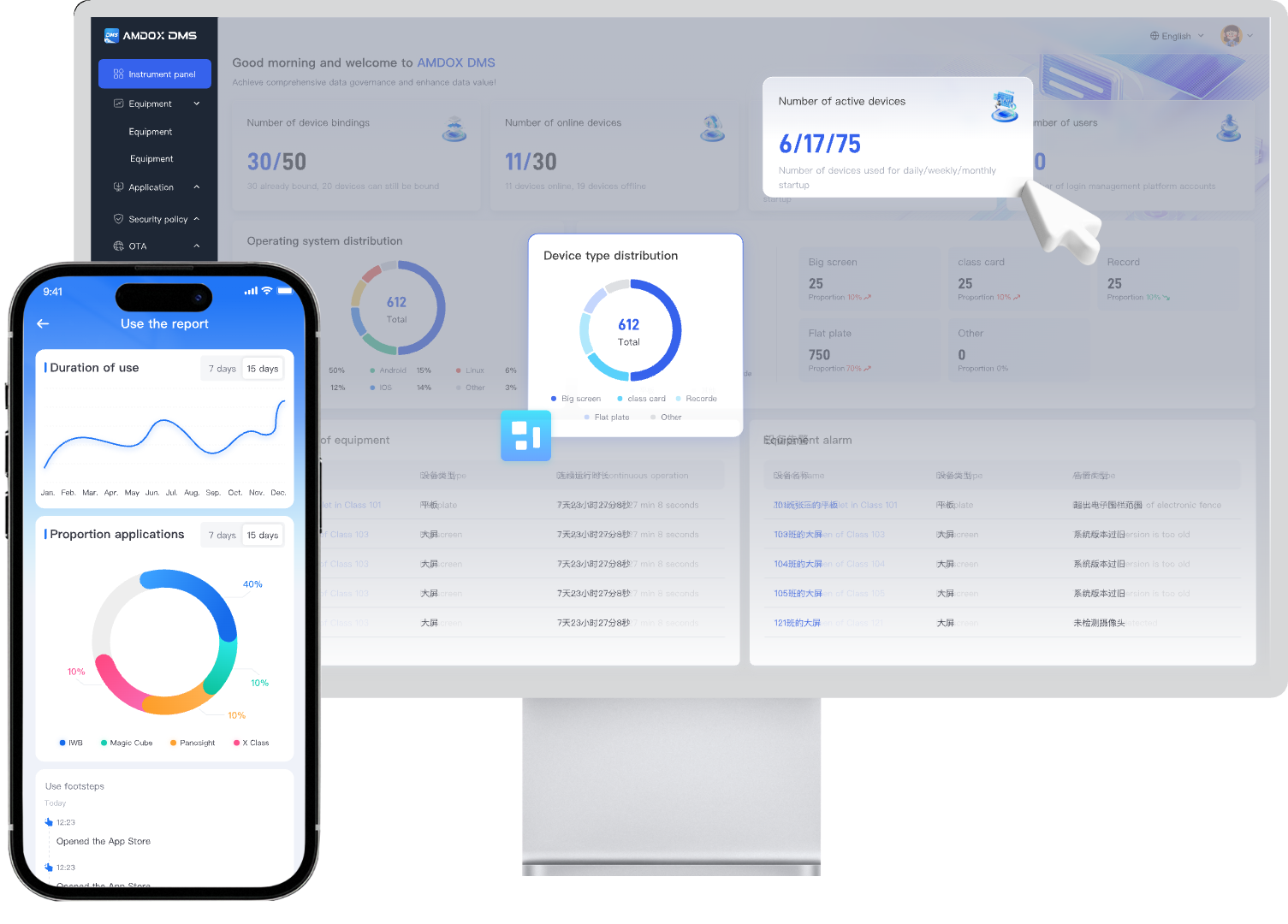
DMS is a unified platform for managing devices across classrooms, offices, buildings, and multiple locations.
It helps administrators centrally monitor, control, secure, and maintain all devices through remote access, OTA updates, policy management, and real-time analytics—making device operations simpler, faster, and more efficient.
Highlight
7 x 24 Remote Monitoring
Enable remote device supervision and real-time status tracking across classrooms, campuses, and multiple locations.
OTA & Apps Deployment
Support centralized deployment of Softwares, firmware with scheduled updates and unified rollback capabilities.
Multi-Platform Support
Compatible with mainstream operating systems including: Windows, Linux, Android, ChromeOS, iOS, macOS
Device Management Ecosystem
Web
Management Center
Daily management interface. Supports: Policy configuration, Bulk device control, Task deployment, Data monitoring and analysis
Mobile
Management Access
Extends Web platform capabilities and enables administrators to monitor, control device operations anytime and anywhere.
Control Hub
Endpoint Control Center
Runs on managed devices to deliver: System optimization, Security protection, Policy execution, Stable long-term operation.
Manage all devices from one platform
DMS lets administrators monitor device status, locate devices, and perform remote maintenance directly from a browser.Whether devices are in classrooms, offices, or multiple sites, everything can be managed centrally and efficiently.
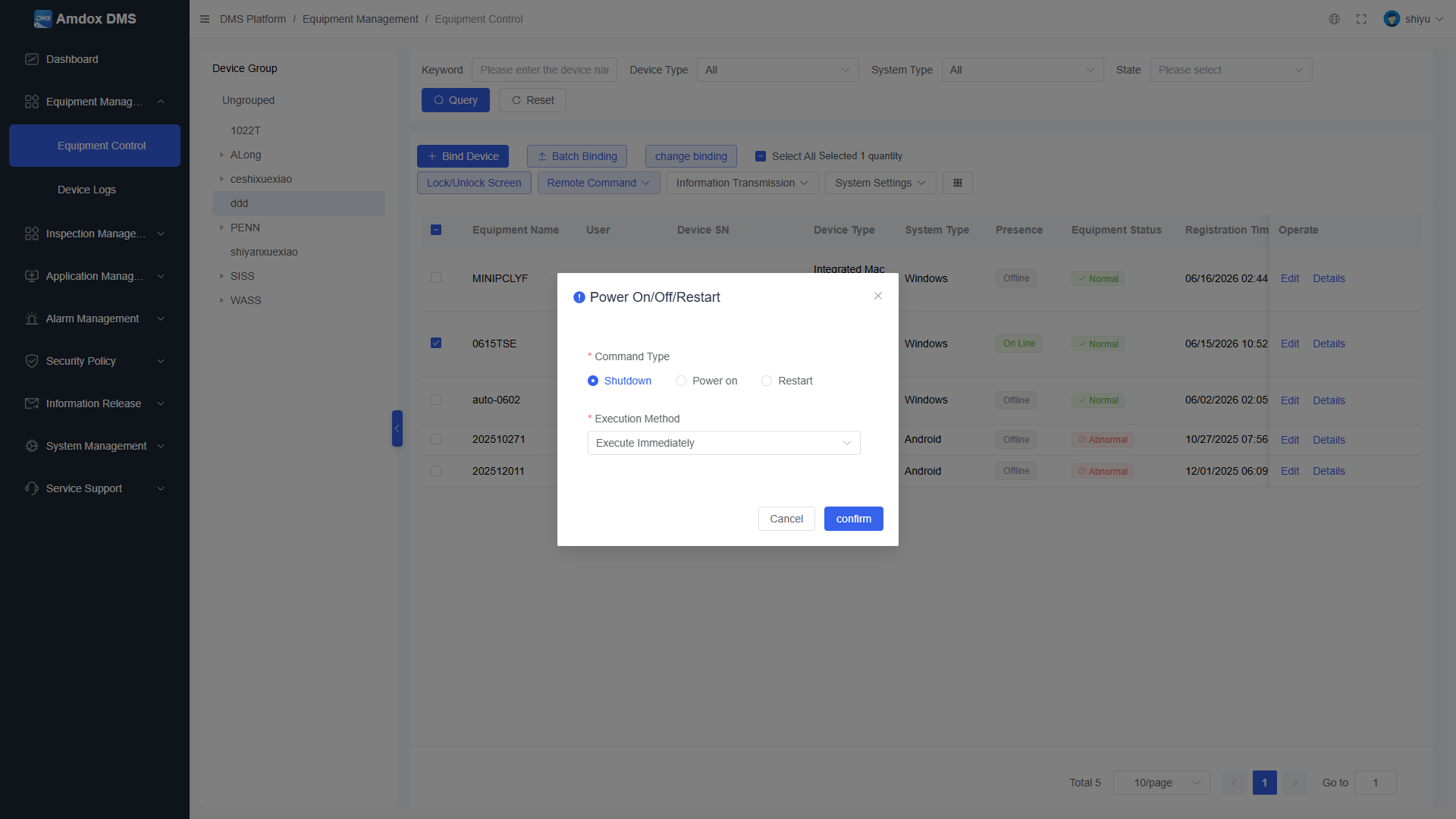
Remote Commands
Remotely execute device commands including screen lock, unlock, system settings, data transmission, and other device controls, enabling administrators to complete daily maintenance tasks directly from the platform.
One Centralized Interface
Quickly perform remote operations and adjust device status across different device types from a unified control panel.
Reduce On-site Support
Maintain consistent management efficiency and execution across distributed endpoints without the need for device-by-device handling.
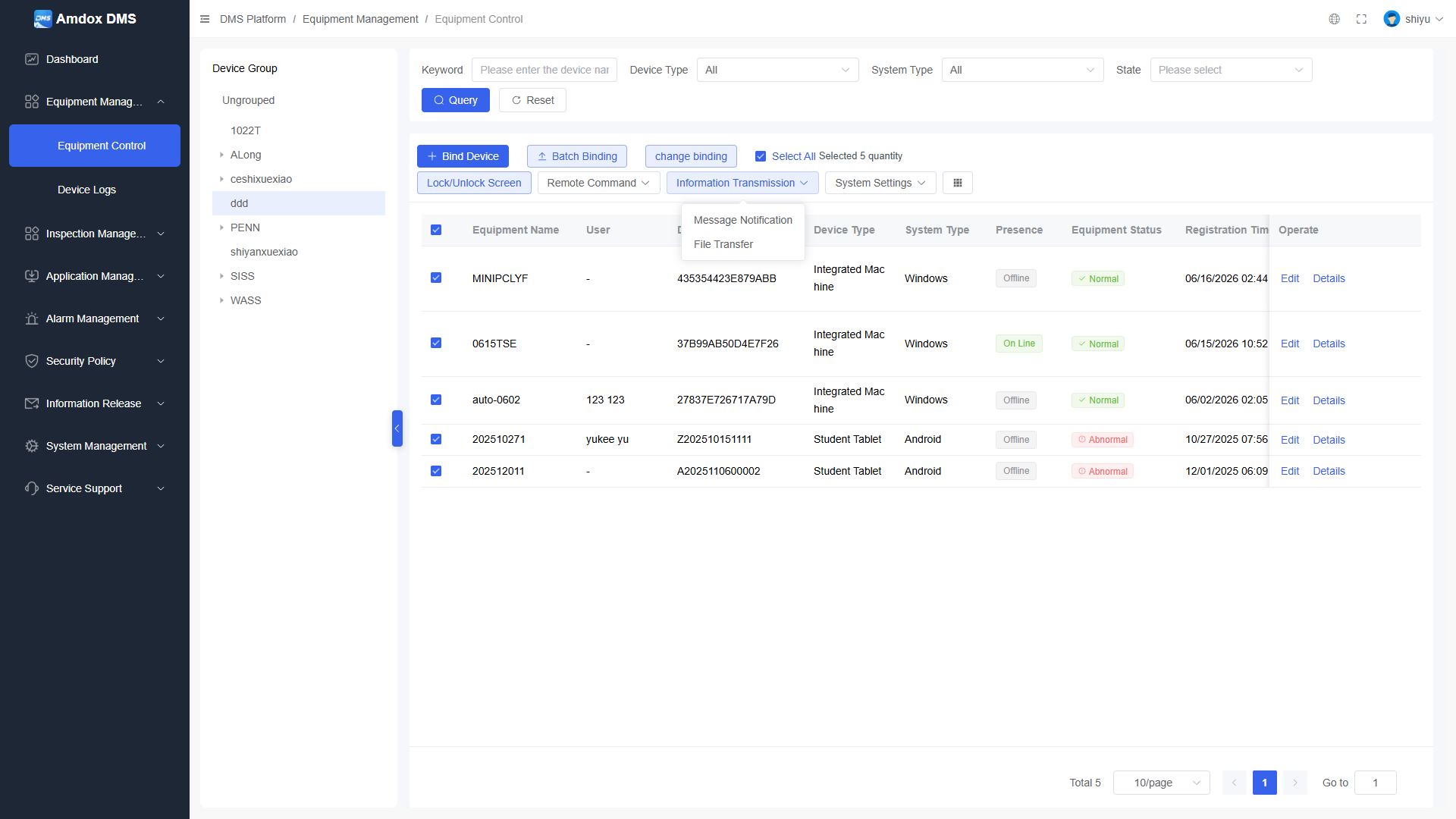
Bulk Management
Quickly filter devices based on campus, building, classroom, device group, and status conditions, enabling centralized management and batch operations to reduce repetitive manual tasks.
Quickly Locate Devices
Easily find target endpoints across multiple classrooms, buildings, campuses, or distributed locations.
Unified Operations
Ideal for high-frequency management activities such as device enrollment, configuration, settings deployment, and batch maintenance.
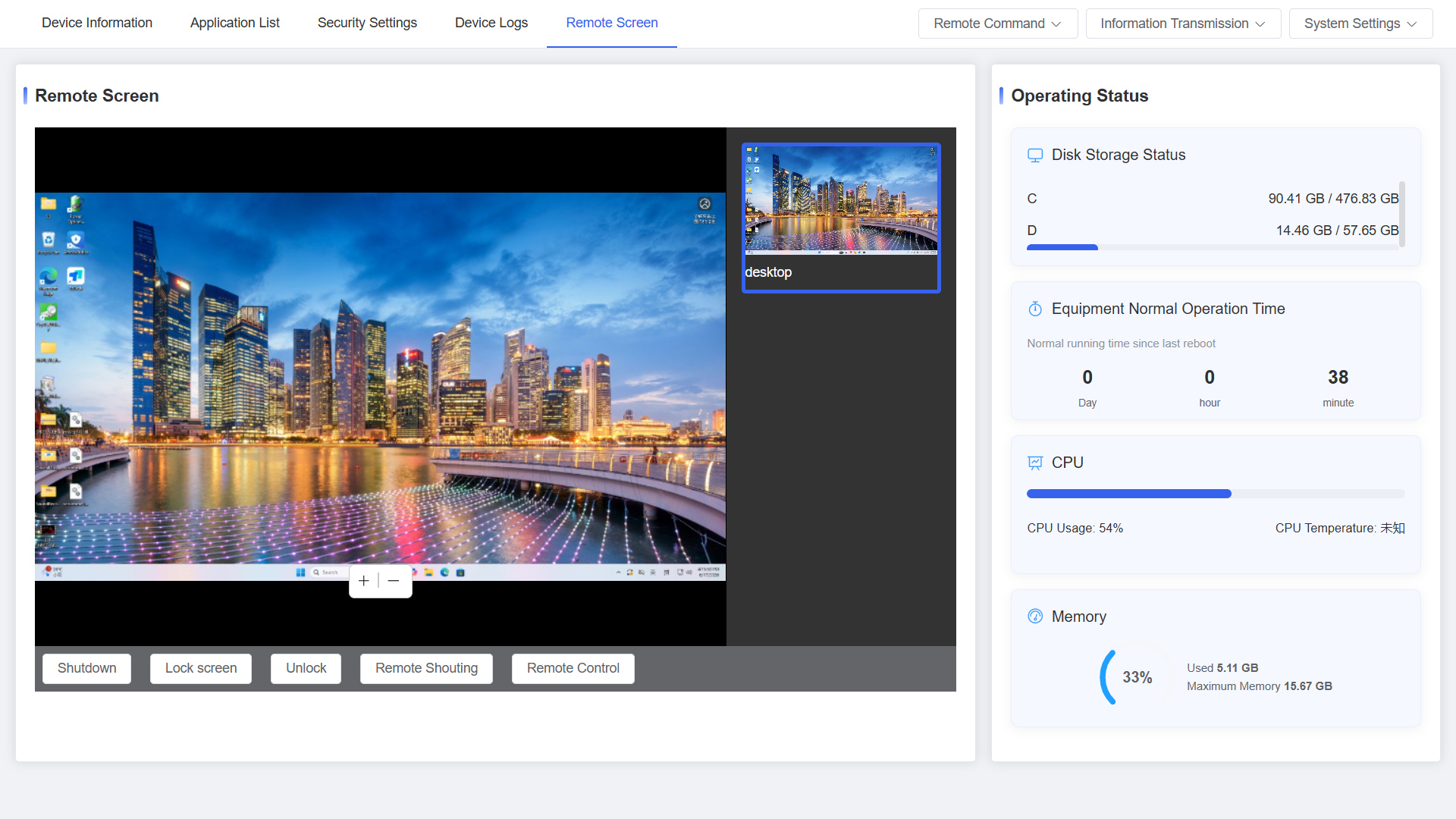
Device Details
View device information, hardware and software status, usage data, and operational metrics, while leveraging historical data for a comprehensive understanding of device health.
View Device Info at a Glance
Including operating system, hardware details, serial number, device group, resolution, IP address, and other essential information.
Analyze Data to Identify Issues
Helps administrators diagnose device problems efficiently and make informed decisions for maintenance, troubleshooting, and replacement.
Smart Policies
DMS continuously enforces endpoint usage policies, access boundaries, and environment control requirements through a unified policy management framework. Whether it involves content control, interface restrictions, apps management, power optimization, location alerts, or dedicated device modes, all policies can be centrally configured, continuously executed, and tracked over time through a single platform.
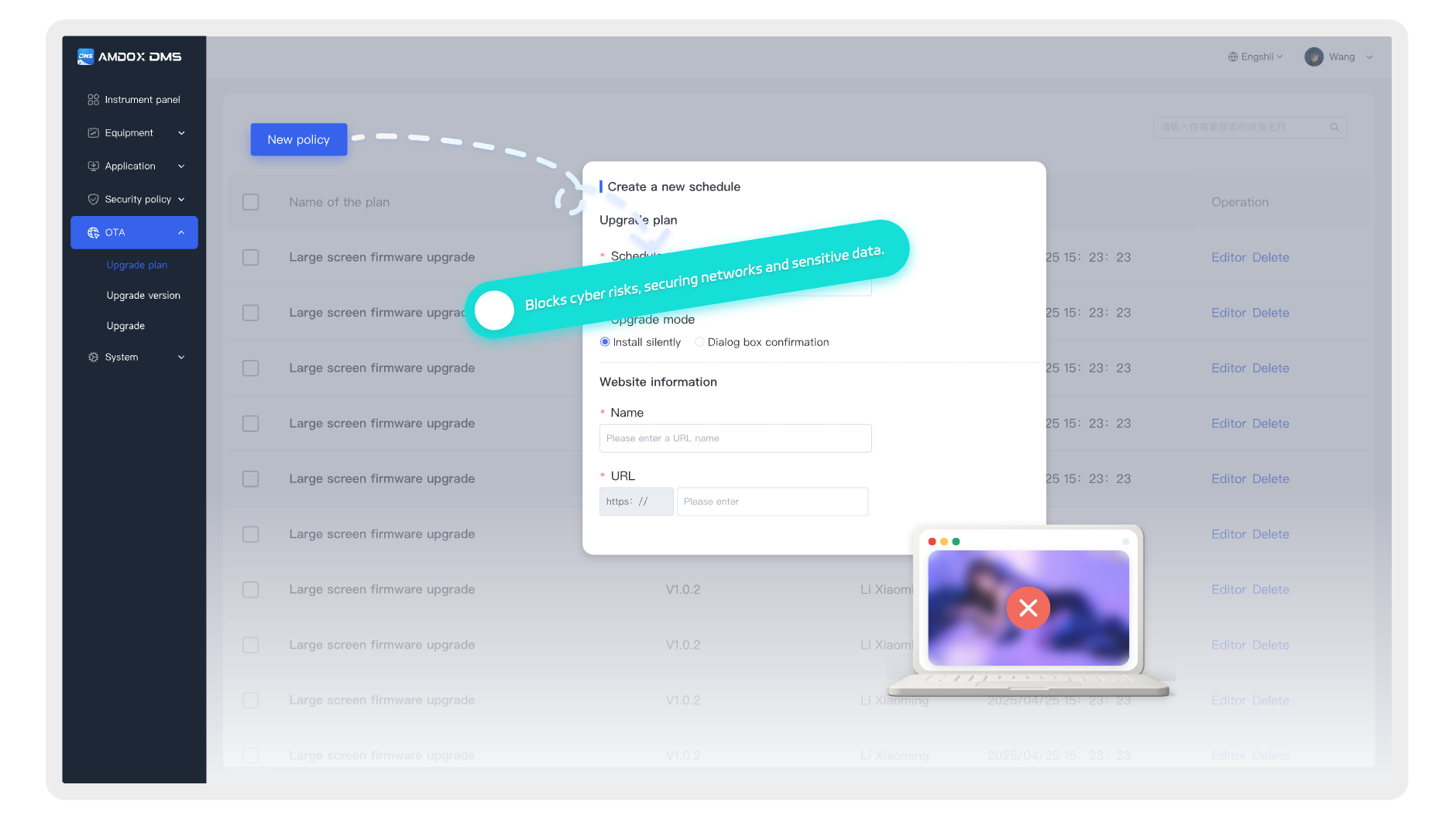
Network Security
Through access control and network protection mechanisms, DMS helps reduce inappropriate content access and network security risks, enabling schools and enterprises to establish clearer and more reliable endpoint access boundaries.
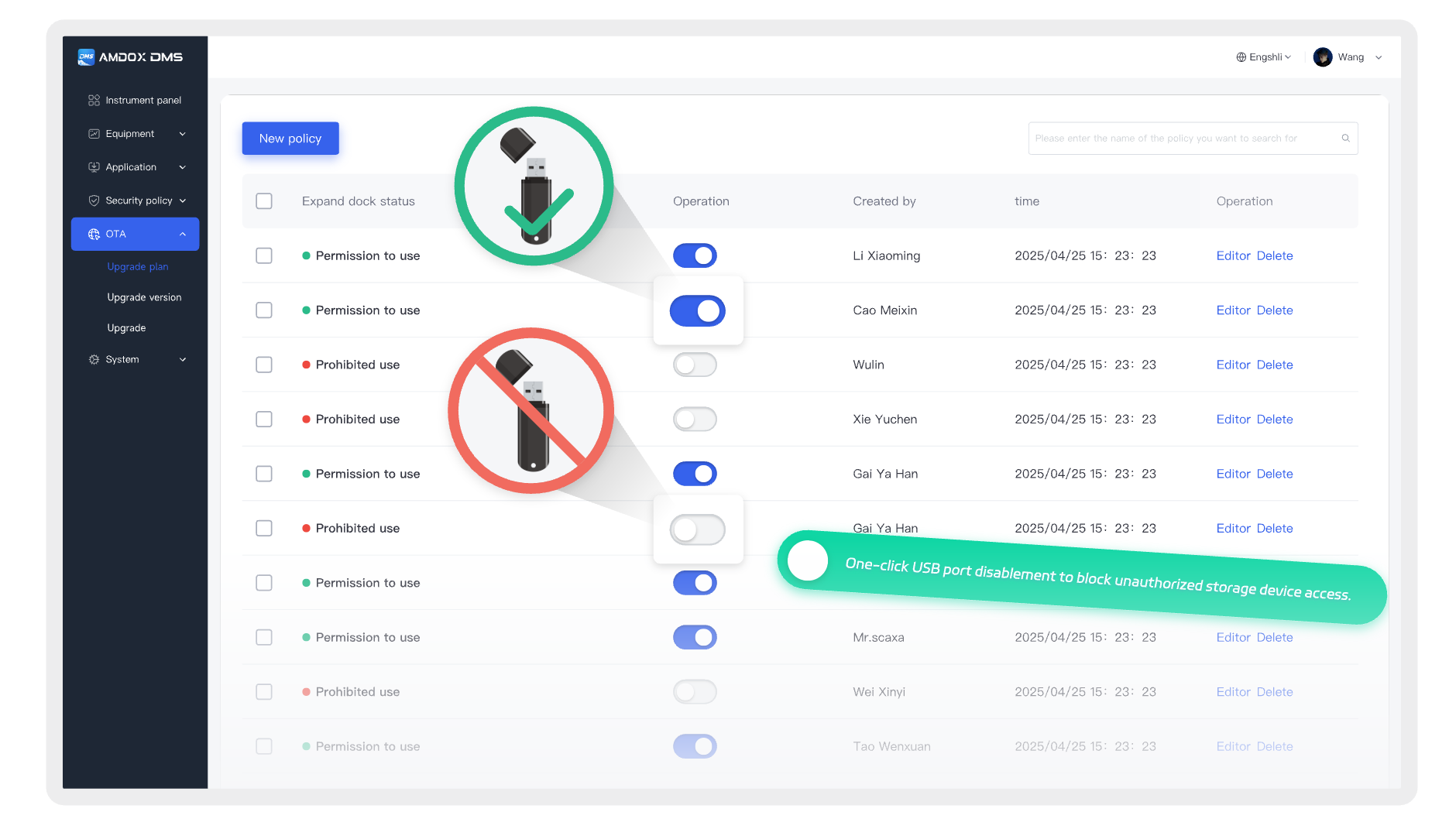
USB Management
Restrict USB ports and external interfaces to reduce the risks of data leakage and security threats caused by unauthorized storage devices.
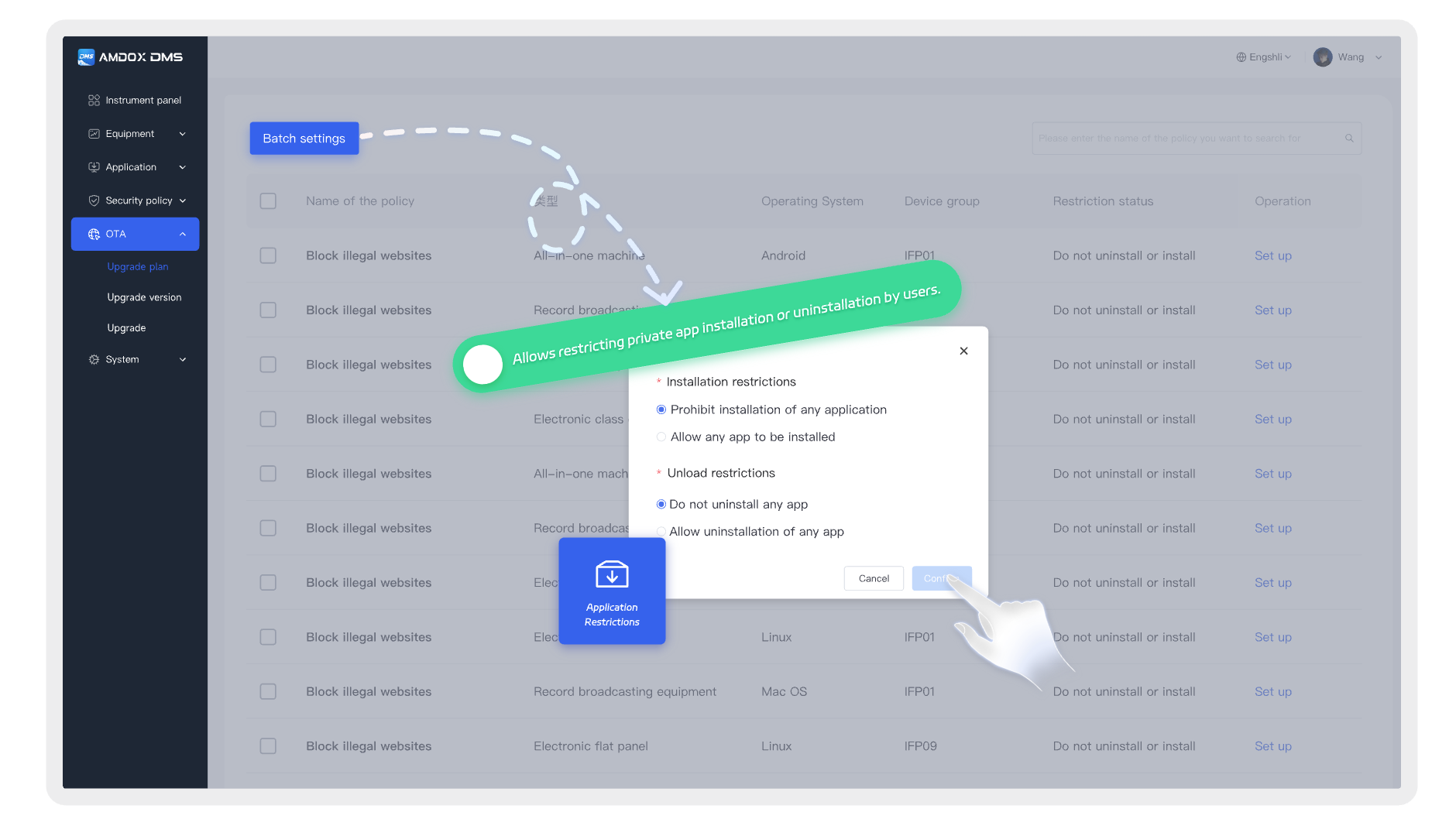
Apps Management
Control application installation, removal, and usage permissions. Administrators can remotely manage application activation, restriction, and update status.
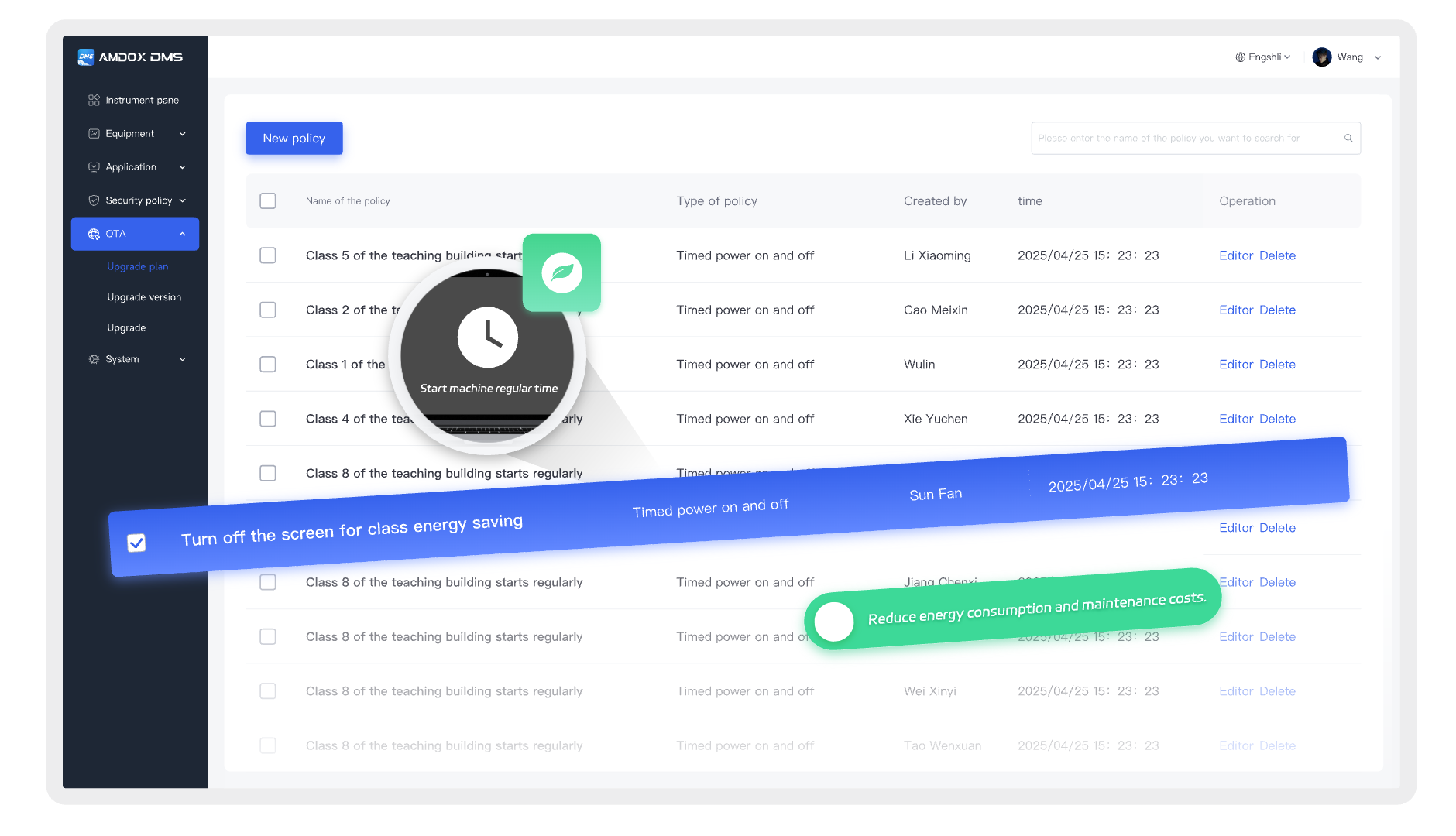
Energy Management
Optimize device operation schedules through automated power policies, including scheduled power on/off, idle shutdown, time-based operation, and energy-saving strategies to reduce unnecessary standby power consumption.
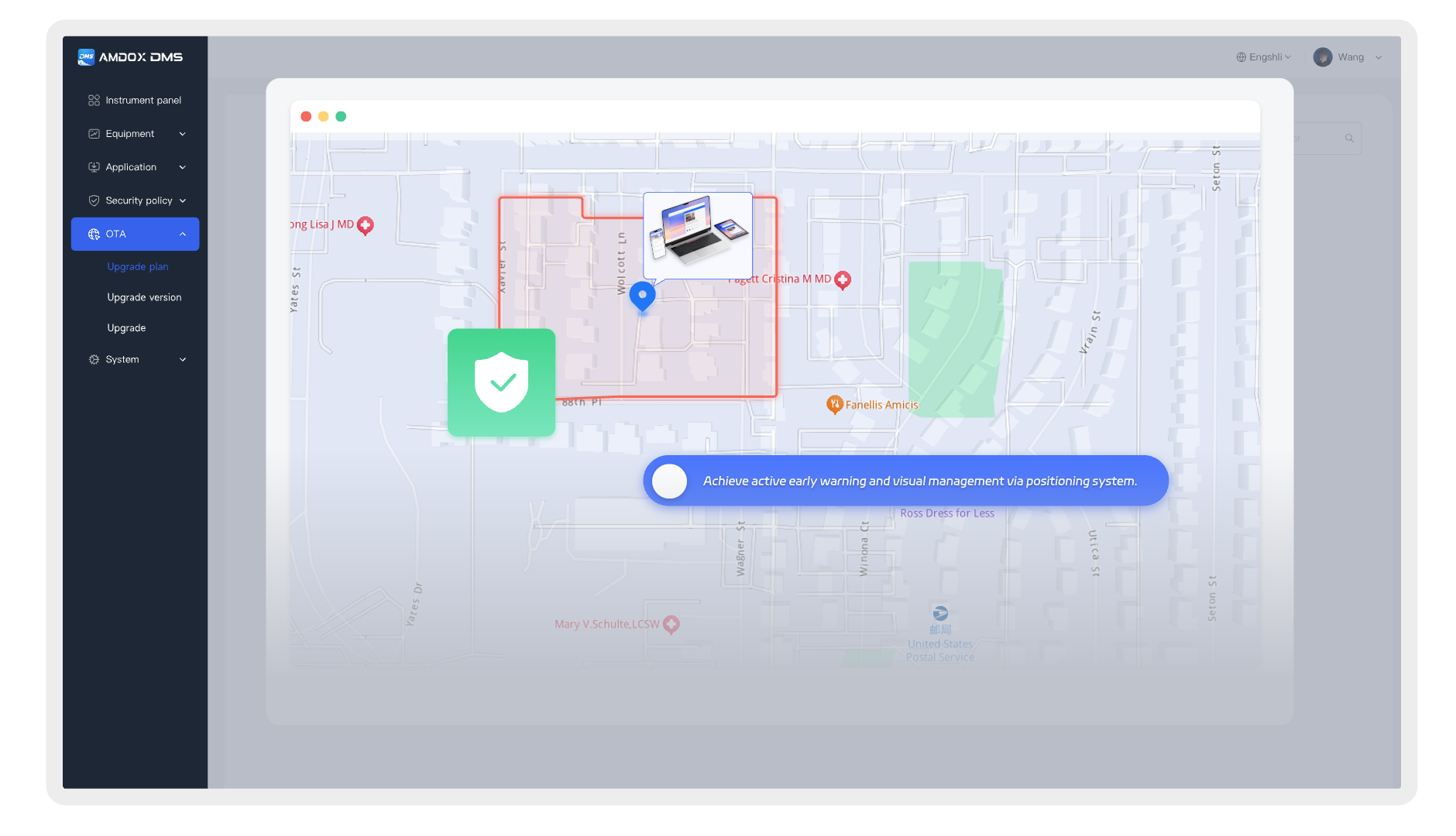
Geo Fencing
With geofencing and location alert capabilities, DMS helps administrators quickly identify risks such as device movement beyond authorized areas, loss, or abnormal relocation.
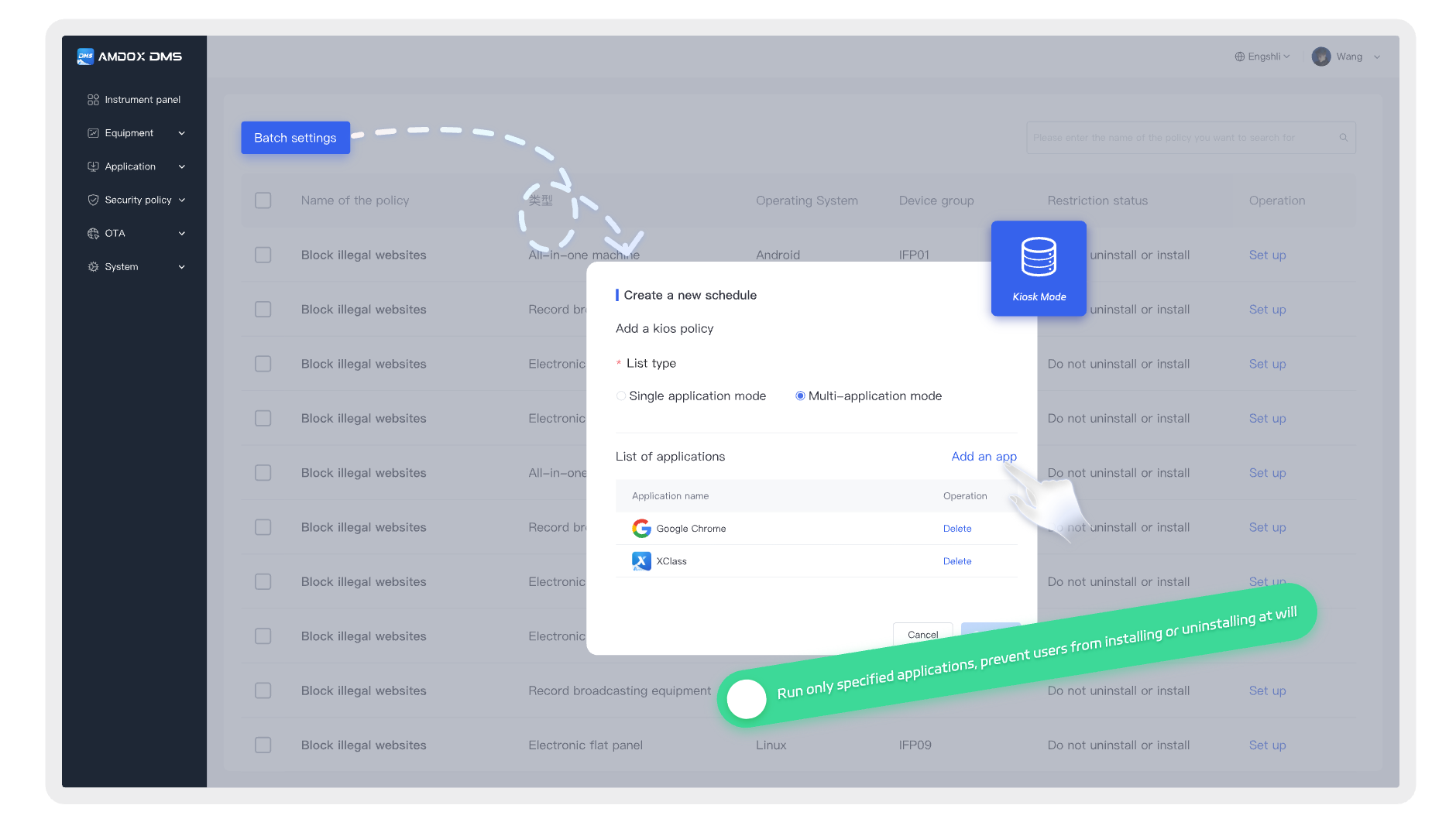
Kiosk Mode
Allow devices to run only designated applications, transforming general-purpose devices into secure, stable, and dedicated terminals for education and business scenarios.
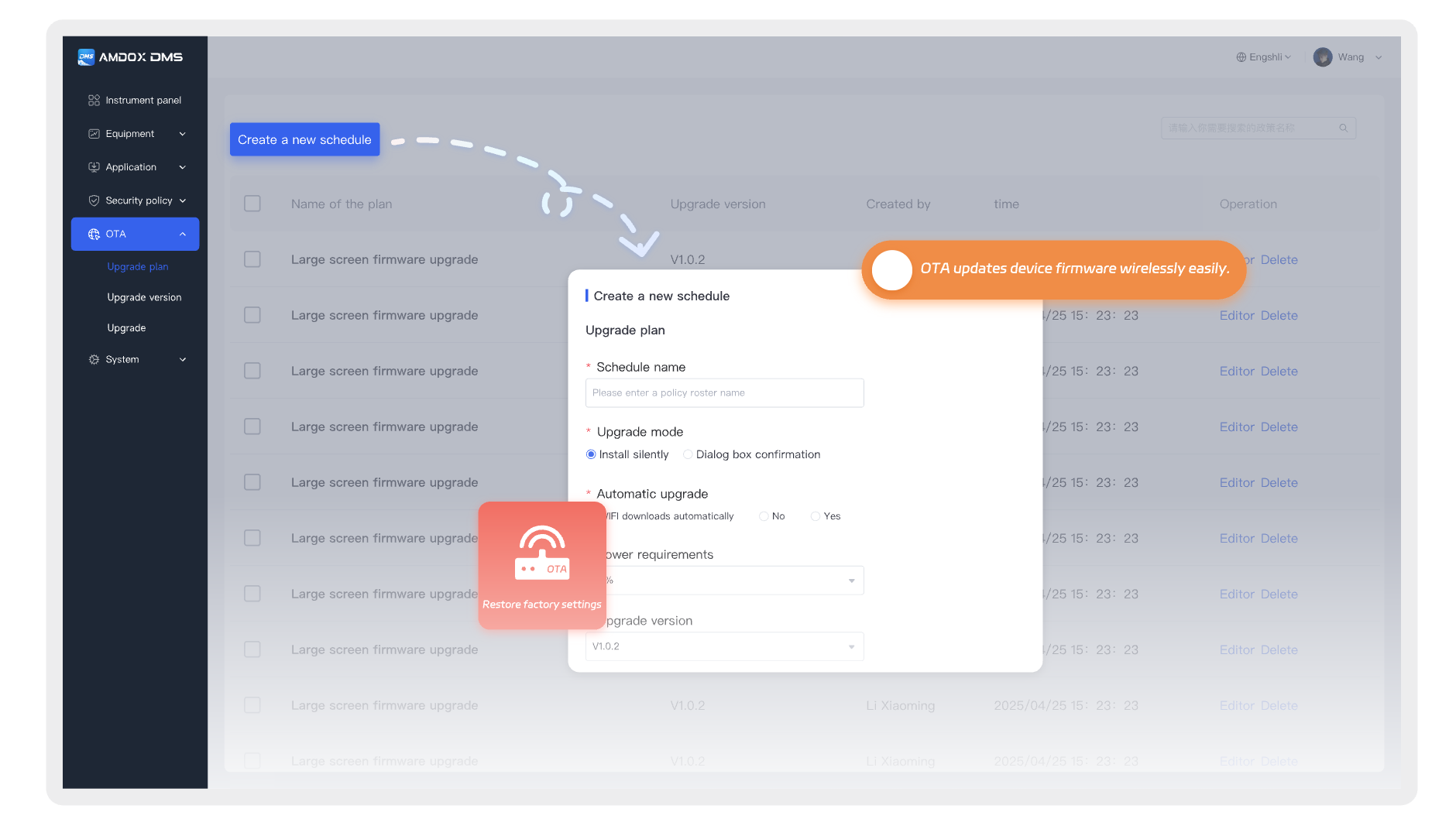
OTA & Apps Deployment
Remotely perform bulk apps installation, updates, uninstallation, and permission configuration. Differentiated deployment strategies can be applied based on device groups, locations, or tags.
- Unified deployment of applications and system components
- Support group-based and batch updates
- Trackable version results with continuous maintenance
Monitor and remotely control distributed endpoint devices across classrooms, offices, and multiple locations through a unified management platform.
- Real-time visibility of endpoint status
- Remote troubleshooting and issue resolution
- Web and mobile-based collaborative management
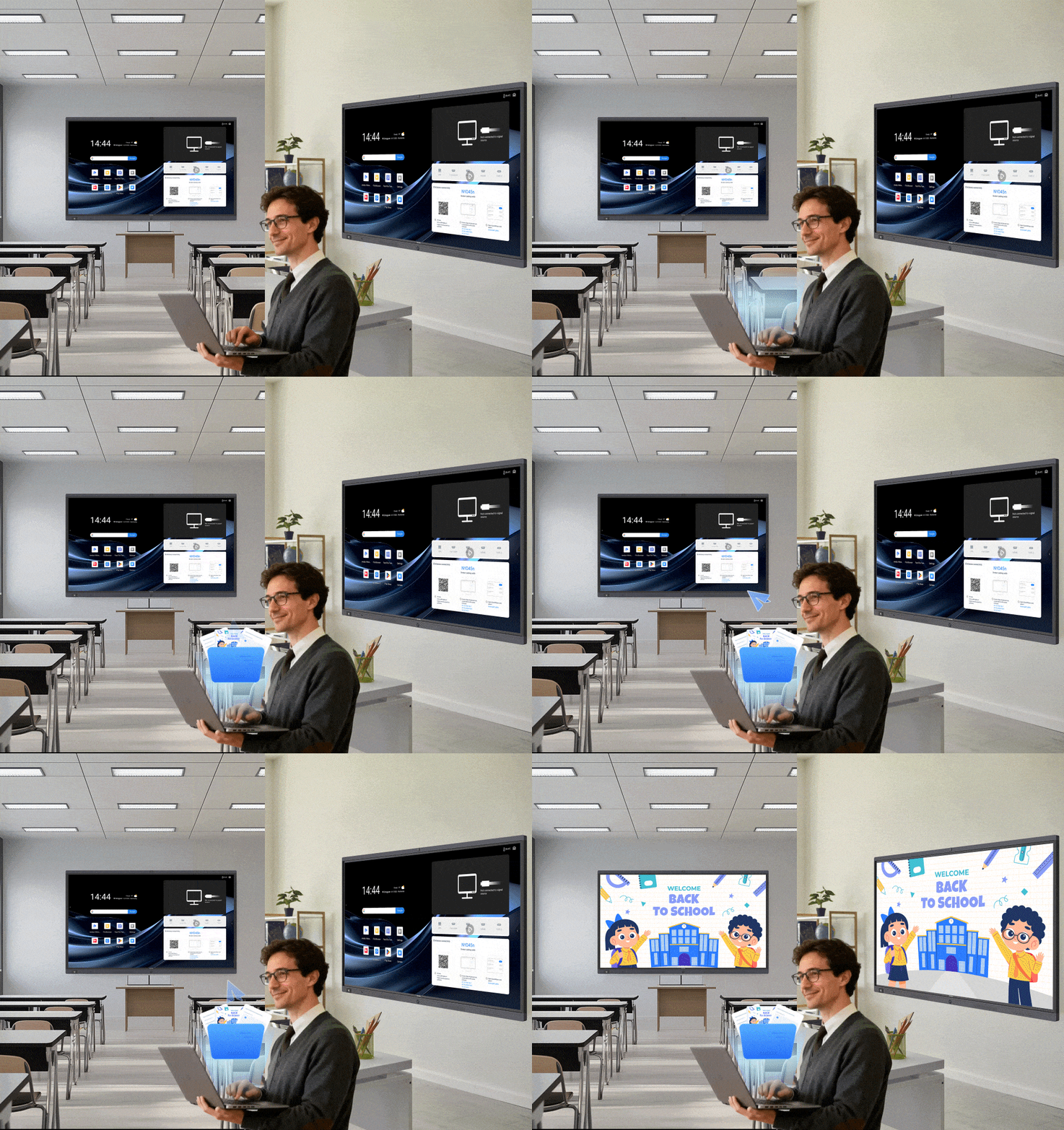
DMS supports centralized distribution of multiple content types, including: Notifications, Images, Videos, Audio, Documents and digital resources.
This improves content preparation efficiency, publishing consistency, and execution tracking.
- Unified management of multiple content formats
- Support template reuse and content scheduling
- Trackable task execution results
DMS analyzes device usage, software activity, device health, and operational data to help administrators understand whether devices are being effectively utilized.
- Continuously monitor device usage and operational status
- Analyze software activity and device health
- Provide data-driven insights for management decisions
Device Management Agent (Amdox Guardian)
Amdox Guardian serves as the device-side management agent of DMS, delivering continuous endpoint stability, protection, and optimization capabilities directly to managed devices. It helps devices maintain a controlled, secure, and maintainable operating environment throughout their lifecycle.
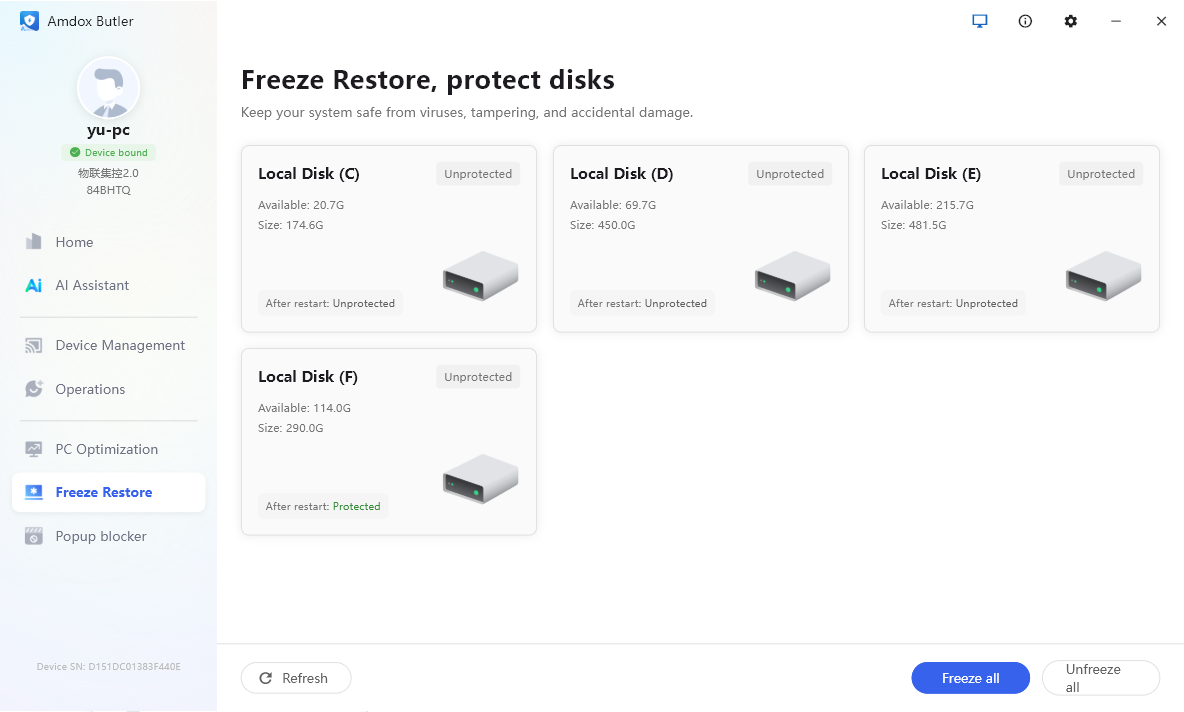
System Restore
Through system restore technology, endpoints can quickly return to a predefined state after reboot, reducing issues caused by accidental operations, unauthorized changes, and long-term system degradation.
This ensures teaching and office devices maintain a stable and consistent operating environment.
Quickly Restore
Suitable for classroom devices, office computers, and public-use terminals, reducing recovery costs caused by frequent environment changes.
Reduce Drift and Issues
Enable endpoints to return to a standardized state after long-term use, reducing maintenance pressure caused by unauthorized software installation or incorrect system configuration.
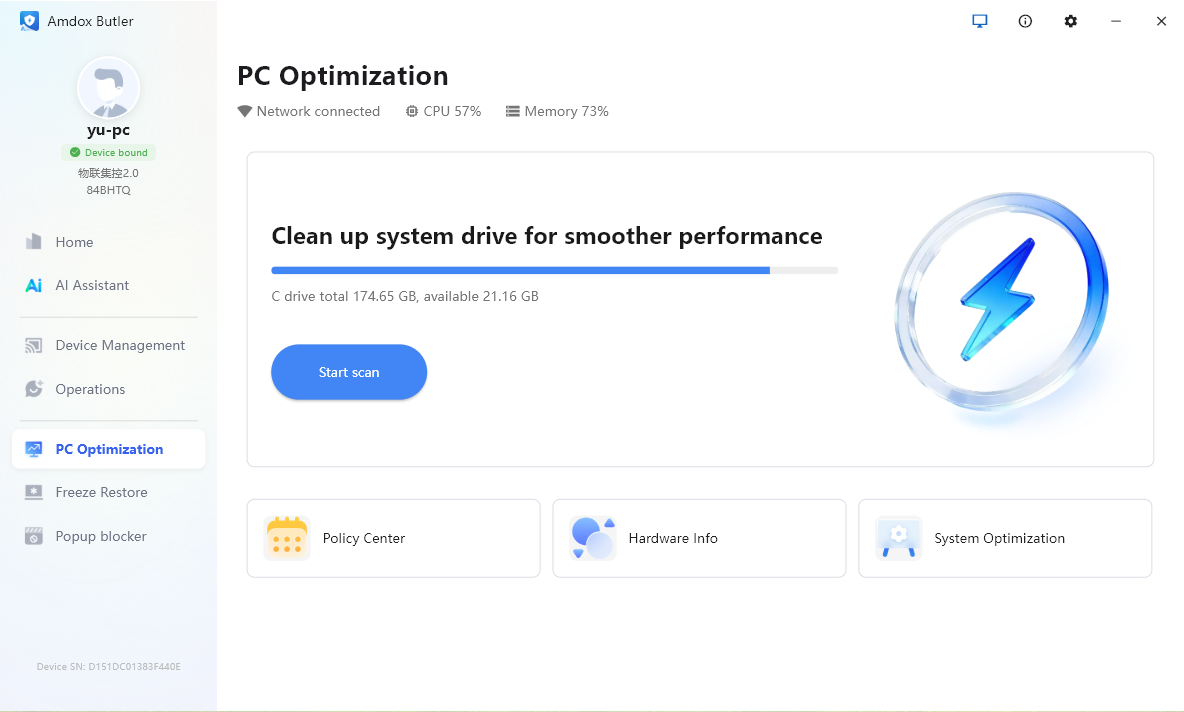
PC Optimization
Designed for long-term endpoint operation scenarios, Amdox Guardian continuously performs system cleanup, resource optimization, and environment maintenance to improve device stability and daily user experience.
It helps reduce: System slowdown, Performance degradation, Operational issues caused by prolonged usage
Improve Performance
Optimized for frequently used teaching and office devices, improving startup speed, system responsiveness, and daily operation efficiency.
Reduce Maintenance Costs
Through continuous optimization and system management, reduce accumulated system load and maintenance issues caused by extended device usage.
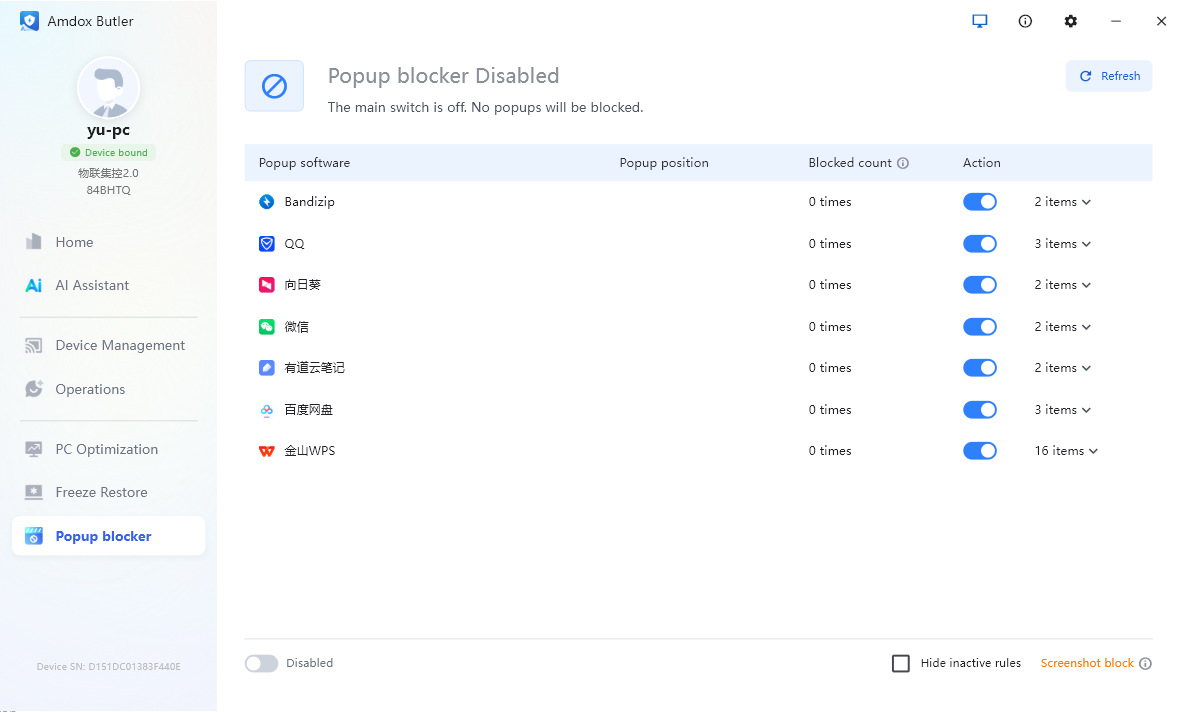
Popup Blocking
For classroom and office environments, Amdox Guardian continuously blocks disruptive popups and unnecessary notifications that affect user experience.
It helps prevent unexpected interruptions during: Classroom presentations, Teaching operations, Office workflows
Reduce Distractions
Maintain a clean and focused interface for interactive displays, teacher computers, and office terminals, avoiding interruptions from irrelevant notifications.
Improve Endpoint Reliability
Keep devices focused on core tasks during presentations, lessons, and daily operations while reducing risks caused by unwanted popups.
Supported Hardware & OS
DMS supports a wide range of managed endpoints and enables unified device management across mainstream operating systems, including Windows, Linux, Android, ChromeOS, iOS, and macOS.
With multi-platform compatibility, DMS ensures consistent device enrollment, centralized management, and efficient operations across diverse endpoint environments.
Windows
Designed for classroom terminals, office computers, and fixed-location devices.
Linux
Supports centralized enrollment and management of various Linux-based devices.
Android
Covers mainstream mobile devices, edu terminals, and Android-based equipment.
ChromeOS
Enables ChromeOS devices to connect to the same unified management platform.
iOS
Supports mobile device management and cross-scenario endpoint deployment requirements.
macOS
Meets the needs of enterprise endpoints and multi-platform device management environments.
Application Scenarios
DMS not only provides unified device management capabilities but also creates practical management workflows across campus operations, teaching support, digital content delivery, and enterprise endpoint management.
It helps organizations transform device management from isolated operations into a continuous, centralized, and traceable management process.
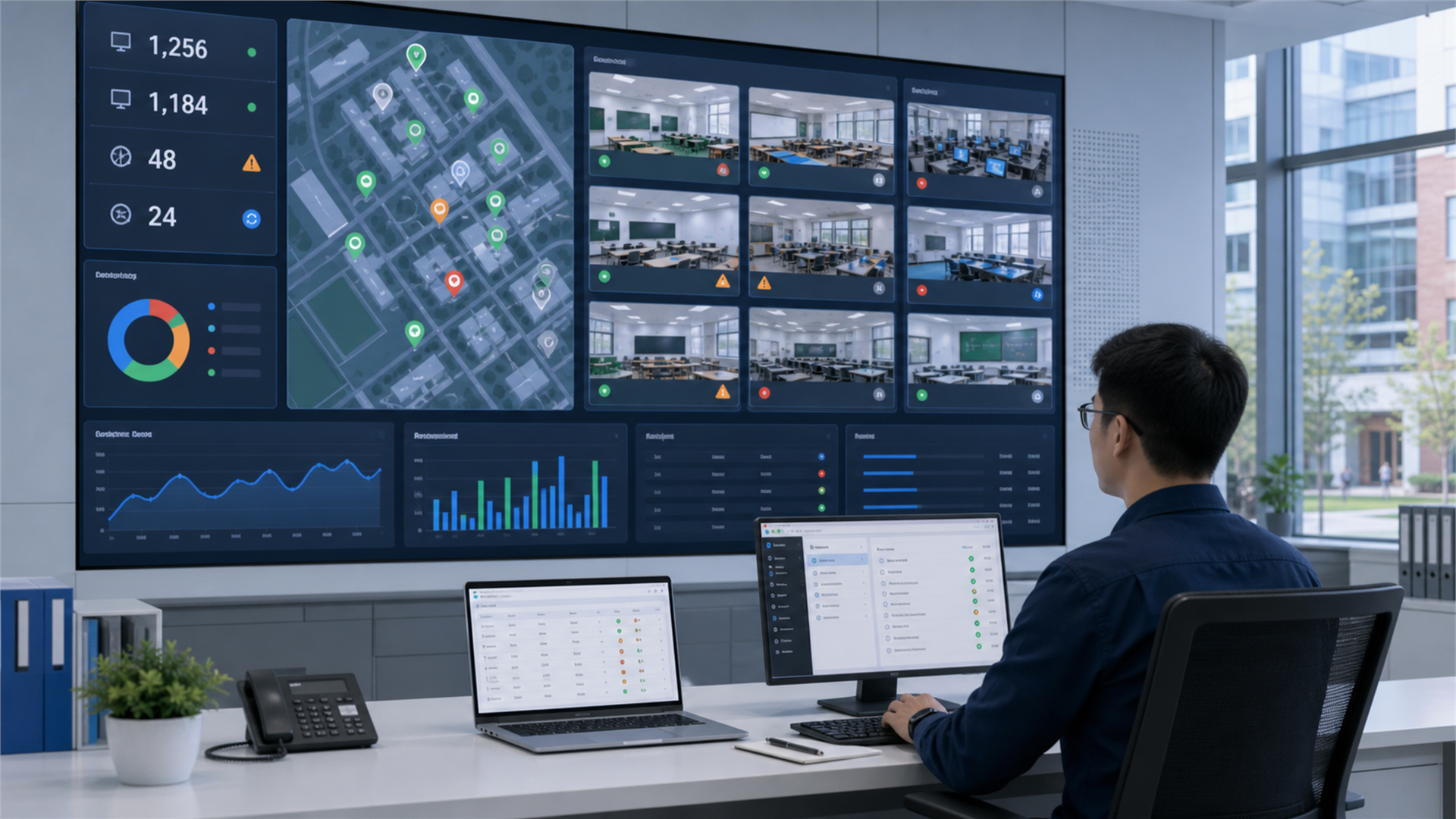
Unified Campus Device Management
For devices distributed across classrooms, buildings, and campuses, administrators can:
- Monitor device status centrally
- Handle issues remotely
- Execute bulk tasks
- Review operation logs and results
Improving maintenance efficiency and management visibility.
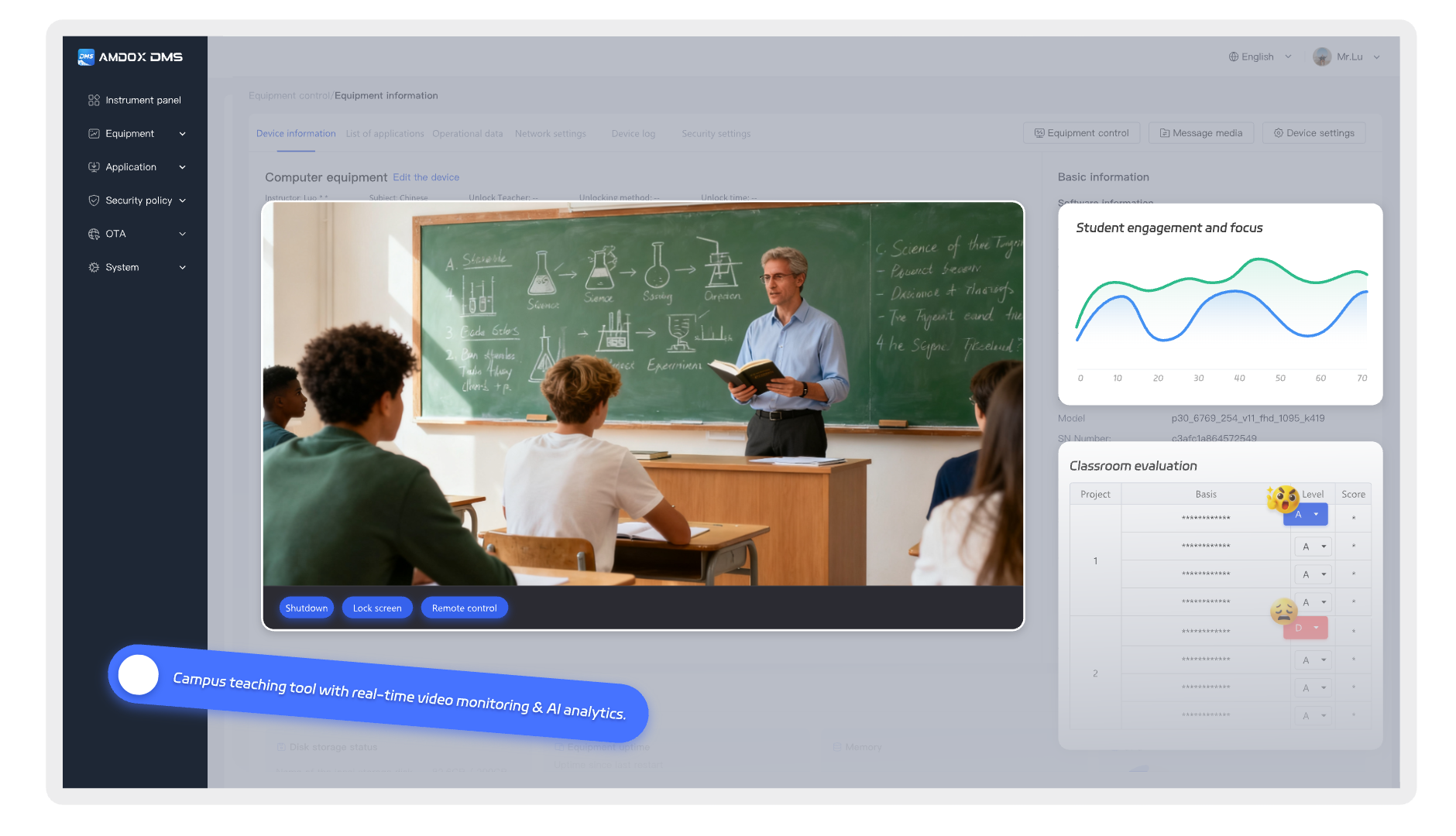
Teaching Support & Classroom Monitoring
Administrators can remotely view:
- Classroom activities
- Teaching displays
- Teacher teaching status
- Student classroom engagement
Through monitoring notes, classroom evaluations, and inspection records, schools can build stronger teaching management insights.
Content Delivery & Distribution
Schools and enterprises can use:
- Media libraries
- Template libraries
- Content scheduling
- Centralized deployment
to deliver announcements, promotional content, and digital resources to target devices according to schedules.
Improving publishing efficiency, consistency, and result tracking.
Unified Endpoint Management
Enterprise IT teams can centrally manage office devices, including:
- Software environment maintenance
- Security policy enforcement
- Remote troubleshooting
- Performance optimization
Improving endpoint stability and overall IT management efficiency.
Contact Us
Schedule a demo to discover how live streaming, lecture recording & playback and devices management come together in one complete solution.
FAQ
What core equipment is required for a recording classroom?
DMS supports centralized management across a wide range of endpoint devices and operating systems, including Windows, Linux, Android, ChromeOS, iOS, and macOS. It is designed to manage interactive displays, classroom devices, office computers, mobile devices, and other specialized enterprise endpoints through a single unified platform.
What scenarios is DMS best suited for?
DMS is ideal for campus-wide device management, classroom operations, remote monitoring, digital signage, office endpoint management, and multi-building or multi-campus deployments. It helps organizations replace fragmented device administration with a centralized, standardized, and continuously managed workflow.
Does DMS support remote control, OTA updates, and policy deployment?
Yes. DMS provides comprehensive remote management capabilities, including remote control, remote commands, application deployment, system distribution, silent OTA updates, and centralized policy enforcement. Administrators can also configure security policies, application restrictions, power management policies, and other device settings—all from a single management console.
How do I get started with evaluating DMS?
The best way to begin is by discussing your device scale, operating environment, deployment scenarios, and management objectives. Based on your requirements, we can arrange a live product demonstration, proof of concept (PoC), or project-based consultation. Understanding your device types, management workflows, and key operational needs allows us to determine how DMS can best fit your organization.